
A smart sports massage schedule protects treatment time by planning for the full appointment workflow, not only hands-on work. A manual calendar can be enough for a simple solo practice, while booking software becomes more useful when reminders, payments, intake forms, or shared availability create too much admin work.
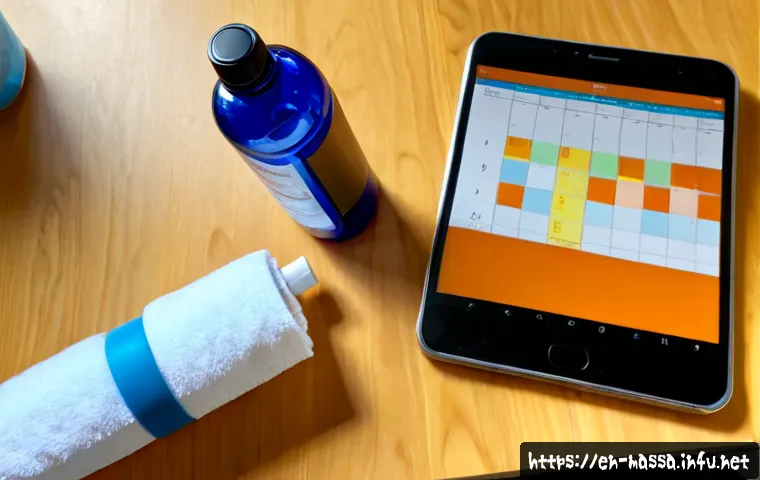
The right setup depends on client demand, service options, treatment location, and how many people need access to the calendar. Start by mapping real appointment needs, then add buffers, fixed admin blocks, and selected flexible openings.
Paid appointment scheduling platforms can reduce manual coordination, but features, payment integrations, and subscription costs should be compared carefully.
No scheduling change guarantees fewer cancellations or higher revenue, so review the workflow regularly and adjust it to your practice.
At a Glance
- Build each appointment around the full client workflow, including assessment, notes, room reset, and payment processing.
- Set availability around likely demand, while keeping a few controlled openings for reschedules and recovery-focused bookings.
- Choose booking software only when its reminders, payment tools, calendar synchronization, or multi-staff access save meaningful admin time.
| Scheduling method | Best fit | Useful strengths | Cost considerations |
|---|---|---|---|
| Paper or personal calendar | Simple solo schedule with limited services | Direct control and minimal setup | May have little direct software cost, but requires manual reminders and updates |
| Basic booking app | Independent therapist handling regular client bookings | Online booking, calendar sync, automated reminders, and possible payment collection | Review subscription terms, payment processing, and feature limits |
| Practice-management platform | Small clinic or multi-therapist practice | Multi-staff access, intake forms, reporting, service settings, and shared availability | May require more setup time and a higher ongoing software budget |
Build a Weekly Calendar That Protects Treatment Time
Your calendar should reflect the work surrounding treatment, not just the time spent providing sports massage. A schedule that looks full can still become stressful if every appointment leaves no room for client questions, notes, payment, or room preparation.
Start with your actual session length, not just hands-on time
Consider the client’s goals, assessment needs, and recovery plan when deciding how to structure services. A client arriving for a focused session may need a different appointment flow from a client who needs more discussion or assessment. Define what is included before a client books so the calendar and client expectations match.
Add realistic buffers for notes, cleanup, payments, and client handoffs
Buffer time can cover room reset, treatment notes, payment processing, and unexpected questions without pushing the next booking late. The best buffer period is not universal. Test a practical gap, observe where delays occur, and adjust based on your location, service model, and operating routine.
Reserve fixed blocks for admin, marketing, and recovery
Keep recurring time for booking changes, client communication, marketing tasks, and calendar review. If every open space is available to clients, those tasks often move into evenings or between appointments. Fixed blocks make it easier to manage the practice without interrupting treatment time.
Set Availability Around Demand, Not Convenience Alone
Convenient working hours matter, but client demand should also influence when you open your schedule. Local sports seasons, event calendars, work schedules, and gym partnerships can all affect when active clients look for appointments.
Identify likely high-demand windows for active clients
Review your own booking patterns instead of copying another therapist’s timetable. Notice when clients ask for after-work appointments, pre-event availability, or recovery-focused sessions. Your calendar should reflect your actual client base, not a generic template.
Use peak slots for the services clients book most consistently
Popular time windows are often best reserved for the appointment types that fit your workflow reliably. Avoid filling every peak opening with complicated scheduling exceptions if that creates frequent overruns. Clear service descriptions and availability rules make online booking easier for clients to understand.
Keep selected flexible slots for reschedules and urgent recovery needs
A small number of controlled openings can help with reschedules and time-sensitive client requests. These should be intentional, not simply empty gaps caused by poor calendar design. If they remain unused repeatedly, reconsider whether they belong in your standard availability.
Compare Scheduling Methods and Decide What Is Worth Paying For
The best appointment scheduling setup is the one that fits your booking volume and reduces avoidable admin work. Do not pay for a large feature set if a simple calendar already handles your current practice well.
Paper or personal calendar: when it can still work
A personal calendar may work for a therapist with a limited number of services, direct client communication, and no need for shared staff access. The tradeoff is that confirmations, reminders, changes, and payment follow-up usually remain manual. It also requires careful attention to prevent duplicate entries.
Online booking tools: features that matter for a solo practice
For many independent therapists, the most relevant booking software features are calendar synchronization, automated reminders, payment collection options, intake forms, and client self-service booking. A platform should make the booking path simpler, not create extra steps for you or your clients. Check whether reminder settings and consent practices fit the way you communicate with clients.
Practice-management systems: when multi-staff access and reporting add value
A broader practice-management platform may make sense when multiple practitioners, rooms, or services must be coordinated. Shared availability, staff permissions, reporting, and clearer handovers can be valuable when a single personal calendar is no longer a reliable source of truth.
Review total cost: subscription, payment processing, setup time, and support
Compare more than the advertised booking software price. Consider subscription cost, payment-processing terms, setup time, support quality, and the effort needed to move current clients into a new workflow. Feature availability and pricing can change, so verify current details directly before purchasing.
Reduce No-Shows, Late Arrivals, and Double-Booking Errors
Attendance issues cannot be eliminated completely, but clear communication and one consistent process can reduce confusion. The goal is to protect client experience and keep one disrupted appointment from affecting the rest of the day.
Make confirmation and reminder messages clear and timely
Automated reminders can support attendance management, but outcomes depend on message timing and client consent practices. Keep confirmations easy to read: include the appointment time, location or access details, and a clear route for changes. Avoid relying on a reminder as the only explanation of your booking terms.
Use deposits, cancellation terms, or waitlists carefully

A clear cancellation policy should be communicated before booking and applied consistently. Depending on your business model and local requirements, deposits, payment collection tools, or a waitlist may support the policy. Confirm what your booking platform can handle and make sure clients understand the process before they commit.
Create a simple late-arrival rule that protects the next client
Decide in advance how a late arrival affects the session and communicate that rule in booking information. The purpose is not to punish clients; it is to avoid transferring one delay to every later appointment. Keep the approach practical and consistent.
Sync calendars and define one source of truth for availability
Double-booking often happens when availability lives in more than one place. If you use a personal calendar, online booking app, or staff schedule, decide which calendar controls availability. Review synchronization settings before opening online booking to clients.
Adjust the Schedule for Your Practice Model
Scheduling needs change with where and how you work. Build the calendar around the limits that are real for your practice, rather than treating every appointment as if it happens in the same room with the same turnaround.
Mobile sports massage: account for travel, parking, and setup time
Mobile work requires more than a treatment slot. Travel, parking, equipment setup, and pack-down can affect whether appointments can realistically sit back to back. Use location-aware availability where possible, and avoid accepting bookings that create an unworkable route.
Treatment-room rental: align bookings with room access and fixed costs
If you rent a treatment room, match your available appointments to room access and any fixed booking commitments. Confirm that room time, client arrival time, and cleanup needs all fit within the reservation. A fully booked personal calendar is not useful if the room is unavailable.
Gym or team partnerships: manage event-driven demand and referral slots
Sports events, local seasons, and gym relationships can create concentrated demand. Keep communication clear about referral pathways and reserve selected availability only if it supports your wider schedule. Review whether partnership-driven requests are predictable enough to justify dedicated slots.
Multi-therapist clinics: assign rooms, services, and handovers clearly
For a clinic, shared visibility matters. Assign rooms, services, staff access, and handover responsibilities clearly within the practice-management system. The more people who edit availability, the more important it becomes to define one process for changes.
Choosing Your Booking Setup: A Final Comparison Checklist
Choose manual scheduling when booking volume, service options, and communication needs remain simple. Choose a booking platform when self-service booking, reminders, deposits, payment tools, or calendar synchronization remove enough repetitive work to justify the cost. Before selecting a vendor, compare integrations, client experience, intake forms, data access, support, payment processing, and total monthly cost. Ask whether staff access is included, how calendar sync works, what reporting is available, and what happens if you later change platforms. Test one complete workflow—from booking through reminder, payment, notes, and rescheduling—before moving every client to a new system.
For current features, pricing, payment terms, and support conditions, check the provider’s official product and plan pages before subscribing.
Closing Thoughts
A better schedule is usually built through small, deliberate adjustments rather than a complete calendar overhaul. Protect the time around each treatment, learn when clients actually want to book, and use technology only where it solves a clear admin problem. A consistent cancellation process and a reliable availability system can make the workday easier to manage. Revisit the setup as your client demand, locations, or team structure changes.
Useful Information
1. Keep service names and appointment expectations clear before clients select a time.
2. Review recurring booking gaps before adding more availability.
3. Treat calendar synchronization as a key feature if you use more than one device or booking channel.
4. Test reminder wording and timing with client consent practices in mind.
5. Keep a simple written process for reschedules, late arrivals, and room changes.
Important Notes
The best appointment length, buffer period, cancellation terms, and software plan depend on local rules, client demand, operating costs, and your business model. Software features, payment-processing fees, and pricing may change, so confirm details before purchase. Scheduling improvements may support smoother operations, but they do not guarantee higher revenue, fewer cancellations, or particular client outcomes.
Frequently Asked Questions
Q1. What is the best scheduling app for a solo sports massage therapist?
A1. The best option depends on which tasks create the most admin work. Compare calendar synchronization, reminders, intake forms, payment collection, client booking flow, support, and total cost. A simple booking app may be enough if you do not need multi-staff access or extensive reporting.
Q2. Is a paid booking system worth the monthly cost for a small massage practice?
A2. It can be worth considering when online booking, automated reminders, payment integrations, or fewer manual calendar updates save meaningful time. Compare the subscription, payment-processing terms, setup effort, and support against the work your current system requires. Check current plan details directly before deciding.
Q3. How much buffer time should a sports massage therapist schedule between clients?
A3. There is no single best amount. Your buffer should account for notes, room reset, payment processing, client questions, and any location-specific needs. Start with a realistic workflow review, then adjust the gap if appointments regularly run late or if time is consistently unused.